Your private cloud, on your own hardware —
reachable from anywhere.
HomiDrive turns a computer you already own into a private home cloud. Browse your storage and send files directly between your devices over Wi-Fi at home — and with Remote, reach everything when you're away, no router setup required. Your files stay on your hardware; we never see them.
Up and running in three steps
No NAS, no router config, no cables. Just your own computer and your phone.
Install on your computer
Download HomiDrive for Windows and pick a folder to be your private drive. Your own computer becomes the server — nothing is uploaded anywhere.
Pair your phone
Scan a QR code or type a short code and your devices know each other — no cables, no fiddly setup, no account needed. Prefer not to scan anything? Sign in with the same Google account on both and they link themselves.
Browse, send & go anywhere
Move files directly between your devices at local-network speed and browse your drive from your phone. With Remote, reach the same drive securely when you leave home.
What HomiDrive does
Not a NAS to configure, not cloud storage on someone else’s servers — just your own files, on your own hardware, reachable anywhere.
Reach your drive from anywhere
The part most local tools can’t do: securely reach your own drive when you’re away from home — owner-only, end-to-end encrypted, with no port forwarding or public exposure. (Optional paid Remote add-on.)
No server holds your files
HomiDrive isn’t cloud storage with a private coat of paint. Your files live only on your own computer — at home they travel straight from one device to the other, and if Remote can’t connect your devices directly it relays that traffic encrypted, without ever storing it. We never see what’s in your files.
Normal files, normal folders
No app database, no proprietary format, no lock-in. Your files stay ordinary files in an ordinary folder — open, move, or back them up like always, with or without HomiDrive.
Zero setup
No NAS to buy, no server to configure, no router ports to open. Install HomiDrive, sign in, and pick a folder — that’s the whole setup.
Quick Transfer over Wi-Fi
Send files, folders, or clipboard text straight from one device to another over your local network. Every incoming transfer is approved by the receiver.
Your private Drive
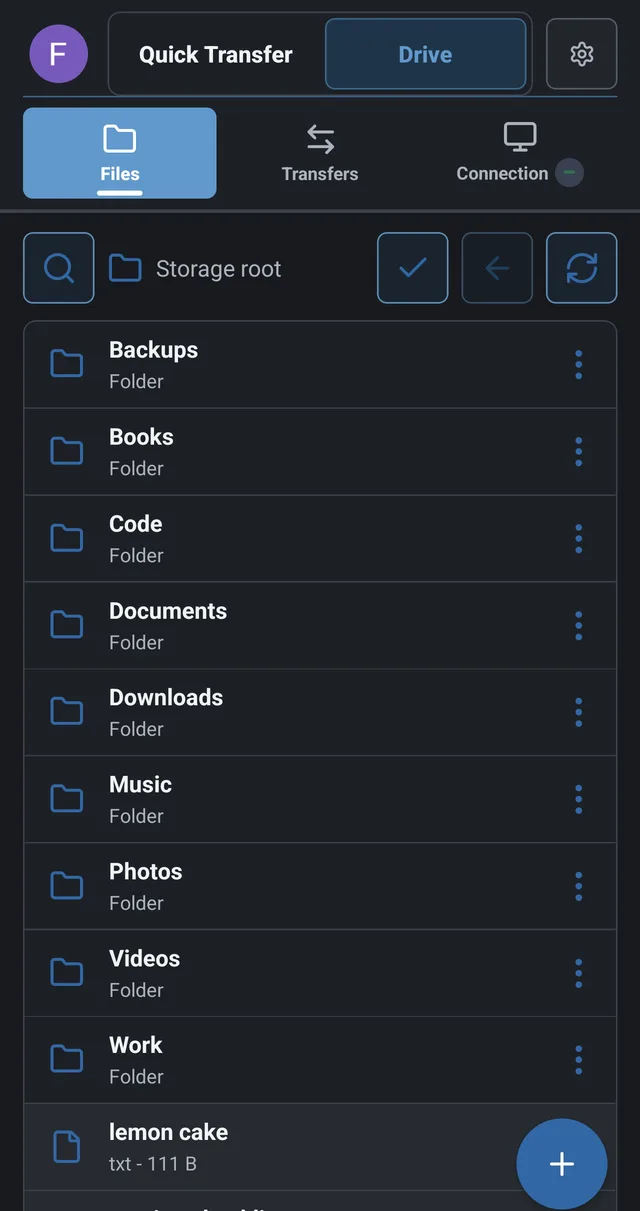
Turn a folder on your computer into a private drive and browse, upload, and download it from any of your devices — at home over Wi-Fi, or from anywhere with Remote.
Link devices with Google
Sign in with the same Google account on your computer and phone and they pair automatically — no QR codes or cables. Remove a device any time.
Resumable & verified
Interrupted transfers pick up from the last received byte, and every file is checked with a whole-file SHA-256 hash before it commits. No silent corruption.
See it in action
The same private drive and direct transfers, on your desktop and your phone.
 HomiDrive
Send anything, device to device
Quick Transfer pushes files, folders, or clipboard text straight between your nearby devices over Wi-Fi at full LAN speed — resumable, verified, and approved by whoever's receiving.
HomiDrive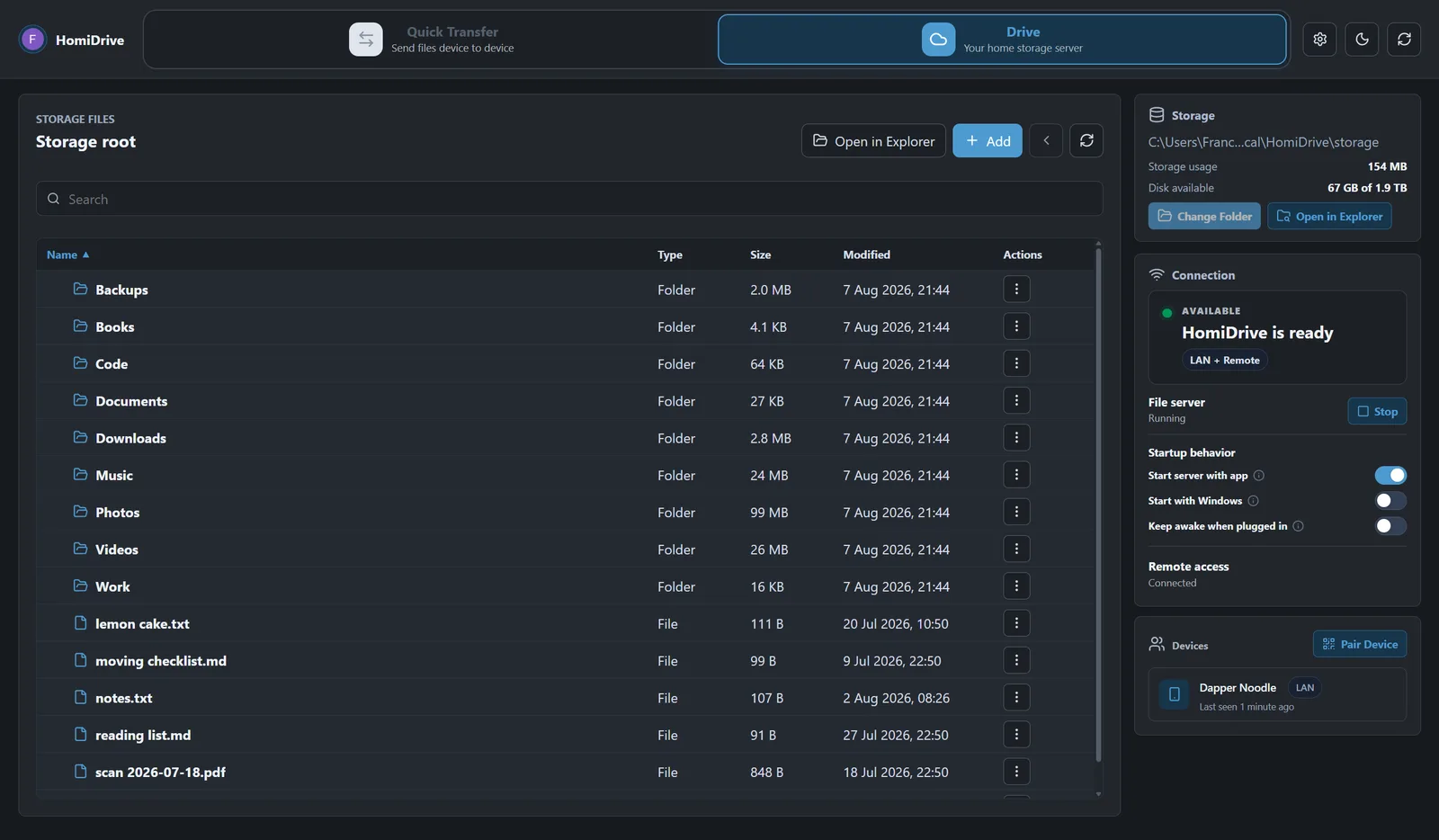
Your whole drive, on every device
Browse, upload, and download the folder on your computer from any of your devices — at home over Wi-Fi, or from anywhere with Remote. Your files stay right where they are.
Free locally, forever
Everything on your local network is free. Remote access — reaching your own drive from anywhere you go — is the one optional subscription, and the thing most local tools simply can’t do.
Local & Quick Transfer
Your private Drive and direct Quick Transfer between your own devices, over your local network.
- Direct device-to-device transfers
- Private Drive on your own storage
- Link all your devices
- Resumable & verified transfers
Remote access
Reach your own drive from anywhere, over an end-to-end encrypted, owner-only connection. No port forwarding, no public exposure, and your files are never hosted by us.
- Your files, anywhere you go
- End-to-end encrypted, owner-only
- No router setup or port forwarding
Launch price for early users. €9.99 / month afterwards.
Get HomiDriveQuestions & answers
Everything you need to know before installing.
What exactly is Remote access?
It’s the part most local file tools don’t offer: reach your own drive when you’re away from home, over an encrypted, owner-only connection. No port forwarding, no public exposure, and your files are never hosted by us. It’s the only paid part of HomiDrive.
Is HomiDrive really free?
The local features — your private Drive and Quick Transfer between your devices — are free, and they don’t need an account at all. The only paid option is Remote access, for reaching your drive when you’re away from home.
Do I need an account?
Not for local use. Your private Drive and Quick Transfer work on your own network without one — pair your devices with a QR code or a short code and that’s it. Signing in with a Google account is optional: it links your devices for you instead of pairing them by hand, and it’s required only for Remote access, the paid part. Either way, sign-in is identity and nothing more — your files stay on your own computer.
Where do my files live?
On your own computer, in a normal folder you choose. HomiDrive turns it into a private drive, but your files stay ordinary files on your disk — never uploaded to us or any cloud.
Which platforms are supported?
Windows and Android are available now, with linking and transfers working between them. macOS and iOS are being considered for later.
Do I need to open ports or configure my router?
No. Local use runs on your own Wi-Fi, and Remote access reaches your drive over an encrypted overlay — so there’s no port forwarding, no public exposure, and no router setup.
Get HomiDrive
Install HomiDrive on your Windows PC and Android phone. Local Drive and Quick Transfer are free.